Smart padding + merging
Each detected peak gets 8 seconds before and 5 seconds after. Overlapping or near-adjacent windows merge when the gap is under a second, keeping a continuous fight as one clip instead of six fragments.
Clipper scans a folder, finds the loud reactions and sudden motion, merges nearby moments, and cuts clean clips with FFmpeg. Everything runs on your machine. No accounts, no uploads, no admin prompt.
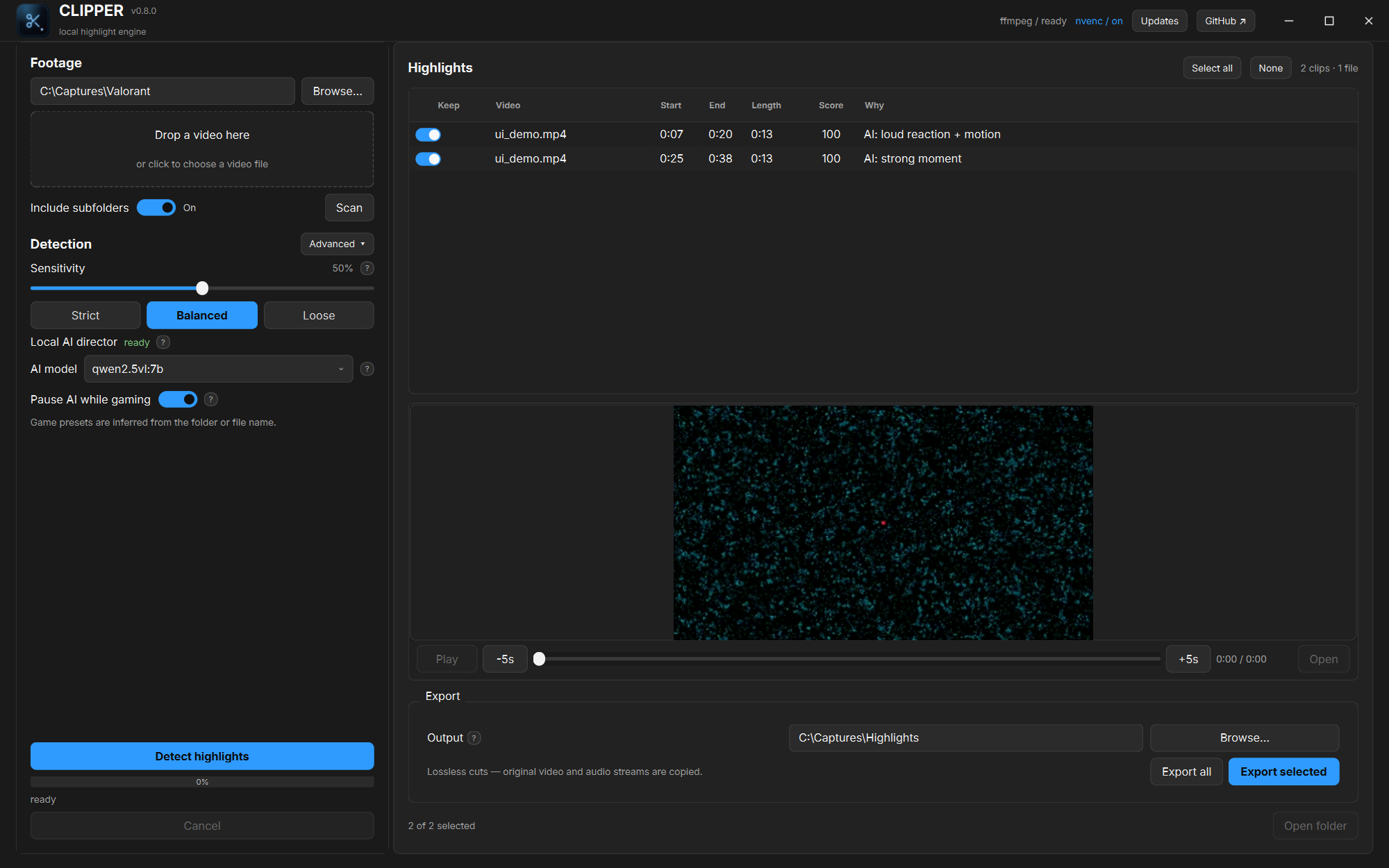
Built for the “I have 40 GB of ShadowPlay clips and want the good 30 seconds” problem.
Each detected peak gets 8 seconds before and 5 seconds after. Overlapping or near-adjacent windows merge when the gap is under a second, keeping a continuous fight as one clip instead of six fragments.
Select a row to see its peak frame immediately. Play, pause, seek, and nudge with the inline player. A single click never starts playback; the controls are always visible.
Exports use stream copy, so the original video and audio are untouched and the cut finishes almost instantly.
When a game is running, Clipper pauses analysis and unloads the local vision model so the game keeps its VRAM. It resumes when you close the game.
A real NVENC test enables GPU acceleration for the analysis proxy. Motion scoring and audio analysis stay on the CPU, where they belong. Threads are capped so your machine stays usable.
A performance preset, not a fake “AI off” mode: 2 threads, a 256 px / 2 fps proxy, and below-normal priority. AI Director still runs if it is enabled.
There is no heuristic-only mode. The director watches the full clip in short windows, transcribes the audio with Whisper, reads HUD/audio signals, and keeps the story beats. Ollama and the vision model are not bundled; install them once from the app.
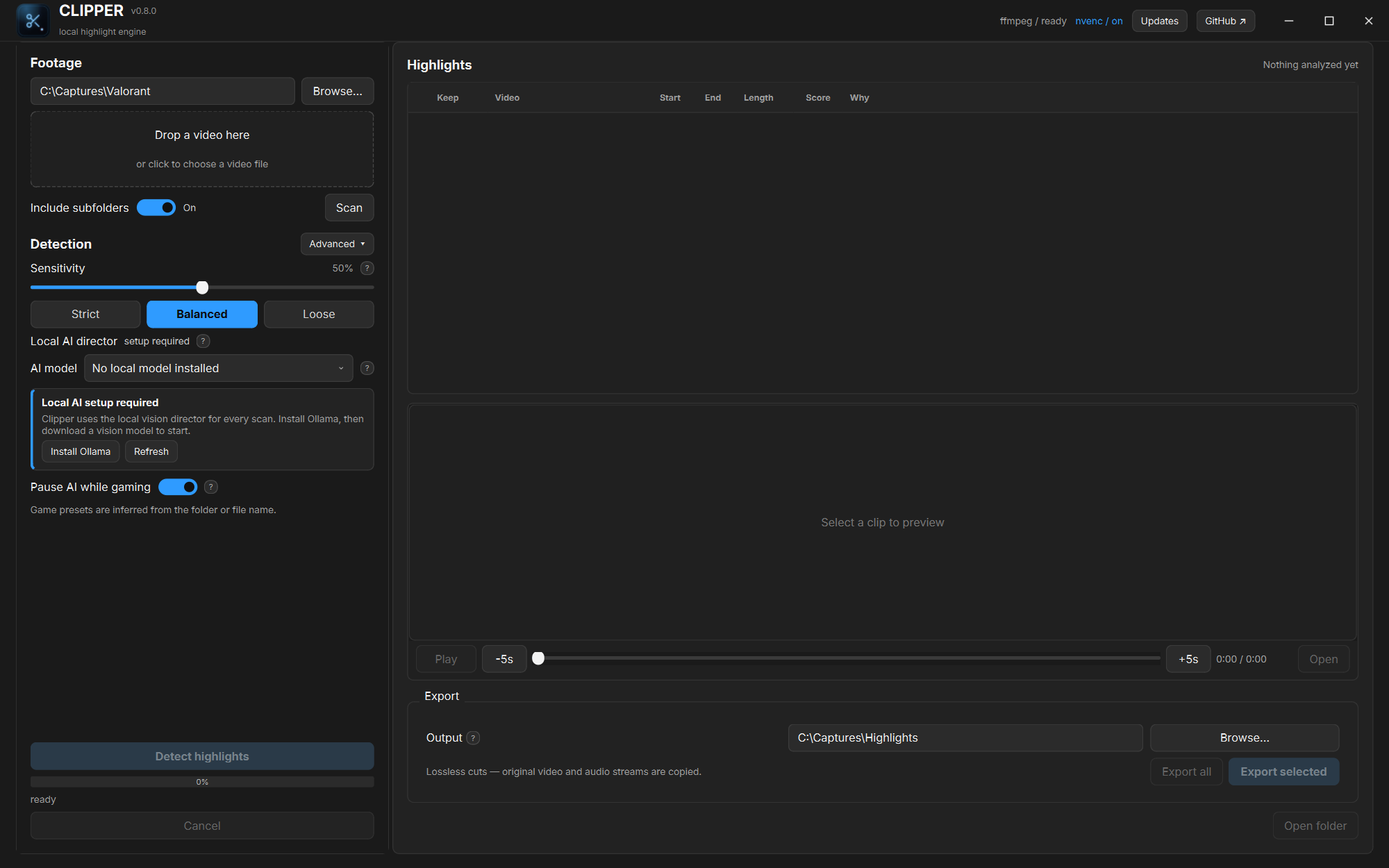
Browse for a folder or video, or drop a video. Clipper probes duration, resolution, FPS, and audio locally.
The local vision model reviews the full clip with transcript, HUD, and audio signals. Padding and merging turn the story beats into clean clips.
Preview in the app, keep the rows you want, and export selected or all. Lossless stream copy keeps the original quality.
Windows 10/11, per-user install, no admin prompt. The installer includes FFmpeg, Whisper base.en, RapidOCR, YAMNet, and the runtime it needs.
Native Windows x64. No Python. No FFmpeg install. No admin.
Yes. Analysis, OCR, transcription, and export run on your machine. Clipper does not upload footage. Network access is limited to the optional GitHub update check and, only when you click them, the one-click Ollama install and model download. The app has no accounts and no telemetry.
Yes. Clipper is AI-only now. Whisper, HUD OCR, and YAMNet ship with the app, but the vision director needs Ollama and a local model. Install Ollama downloads and verifies the prerequisite from inside Clipper, then Install model downloads the vision model. Detect highlights stays disabled until both are ready.
Each detected peak gets 8 seconds before and 5 seconds after. If two candidates overlap or are less than a second apart, they merge into one window and keep the stronger peak. That keeps a fight, a goal replay, or a reaction as one coherent clip instead of several fragments.
It is a performance preset: 2 CPU threads, a 256 px / 2 fps analysis proxy, and below-normal process priority. The local AI director still runs. Low-power mode only trades speed for lower resource use; it never turns highlighting off.
Install Ollama downloads the official Ollama installer (about 1.9 GB) from GitHub, checks its published SHA-256 and Authenticode signature, installs it for the current Windows user, and starts it. No admin prompt and no browser trip. Then Install model downloads gemma3:4b or qwen2.5vl:7b through Ollama. The base Clipper installer stays small because neither Ollama nor the model is bundled.
Use gemma3:4b on 6 GB cards. On 8 GB or more, qwen2.5vl:7b gives better story judgment.
It ships with a large title map, detects Unreal Engine shipping processes, and recognizes games installed through Steam, Epic, GOG, Riot, EA, Ubisoft, and Xbox paths. If a title is missed, you can add it to %LOCALAPPDATA%\Clipper\games.json.
Yes. Clipper is MIT licensed and the Windows build is free. There is no paid clip service or cloud tier.